About Us
TayoSend is trading name of First Exchange Ltd who is registered in the UK with Companies House reference number 07700996. We are regulated by FCA in the UK as Small Payment Institution FRN 910530.


Does your screen look something like this?
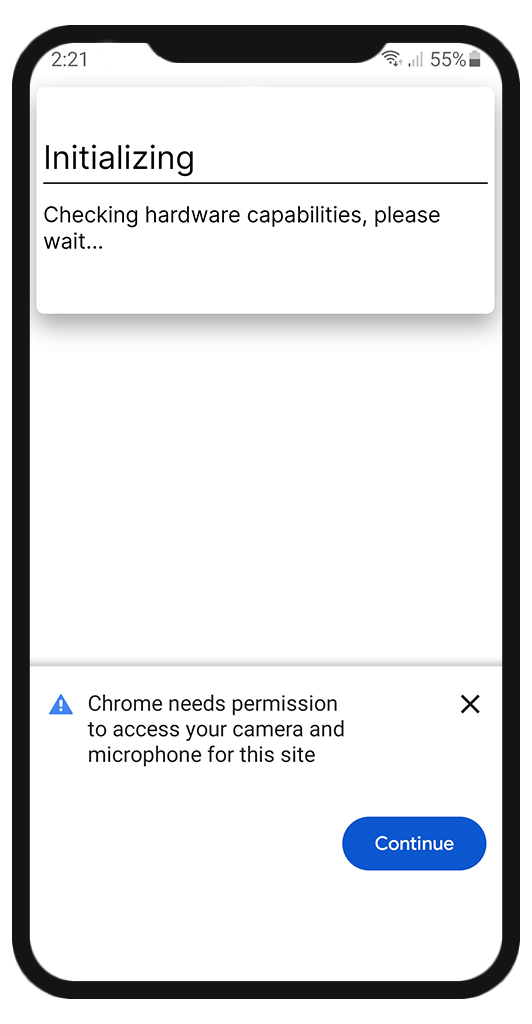
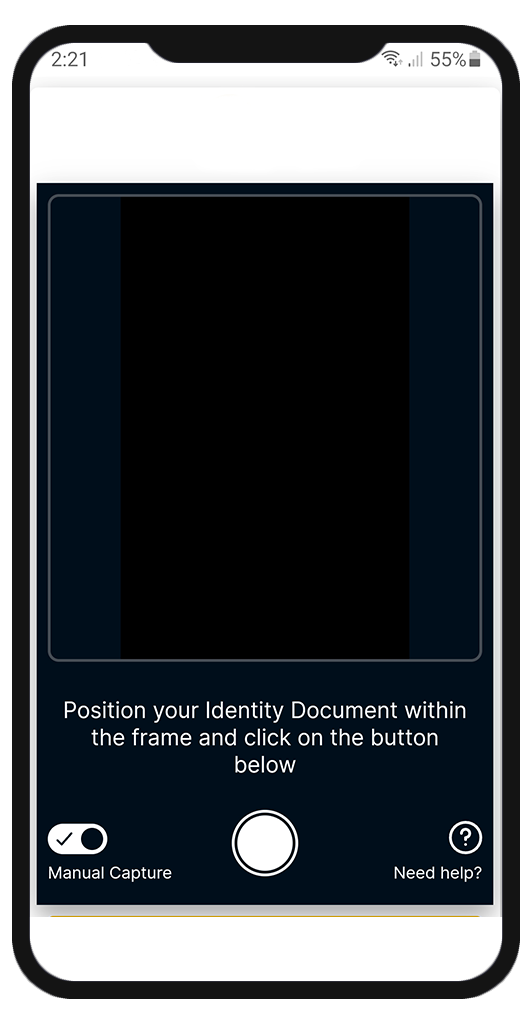
This means the CAMERA access to your default BROWSER is denied. Please follow the steps below to Allow camera access.
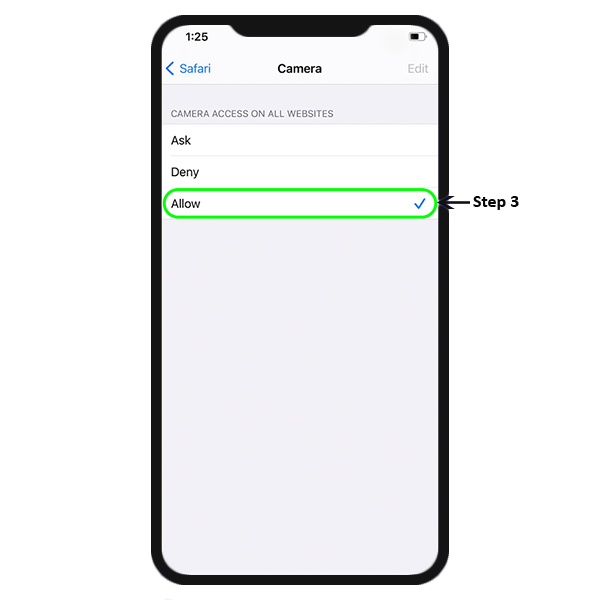
i. Go to Settings → Safari
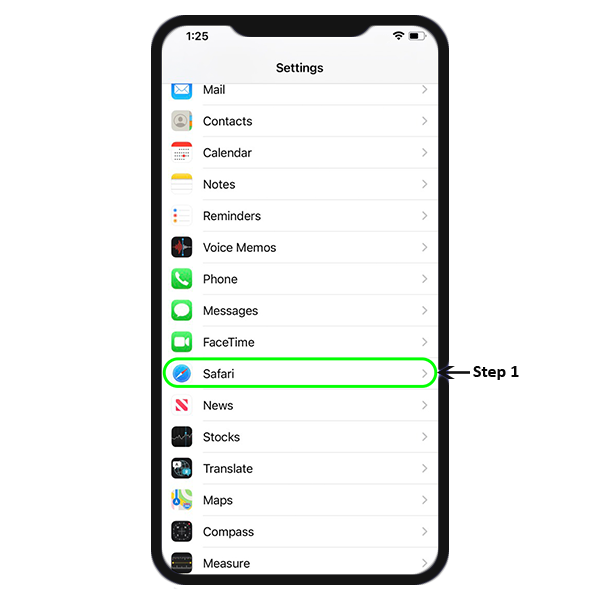
ii. Scroll to find "Camera" under SETTINGS FOR WEBSITES section
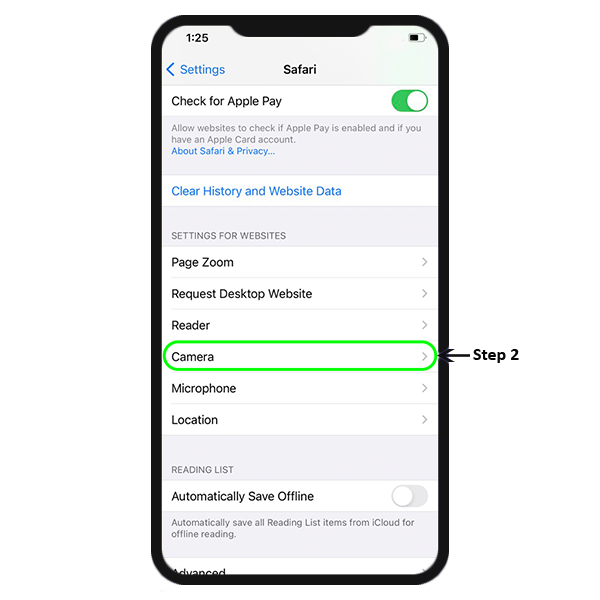
iii. Tap on Camera option and you will be navigated to CAMERA ACCESS ON ALL WEBSITES. Tap on "Allow" option.
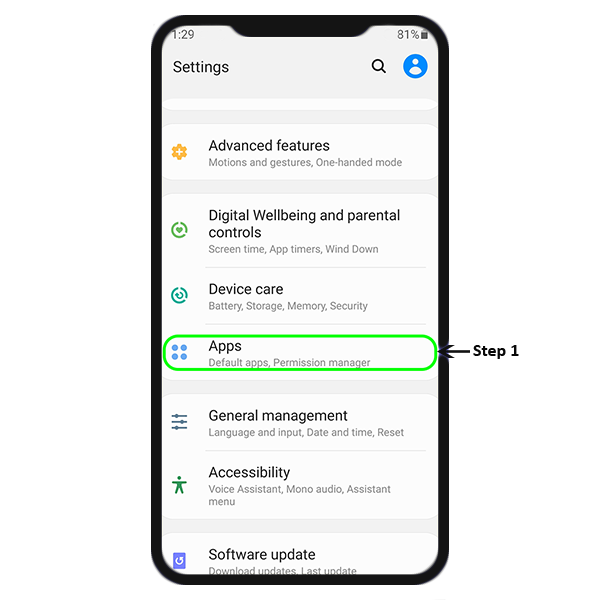
i. Go to Settings and tap on Apps
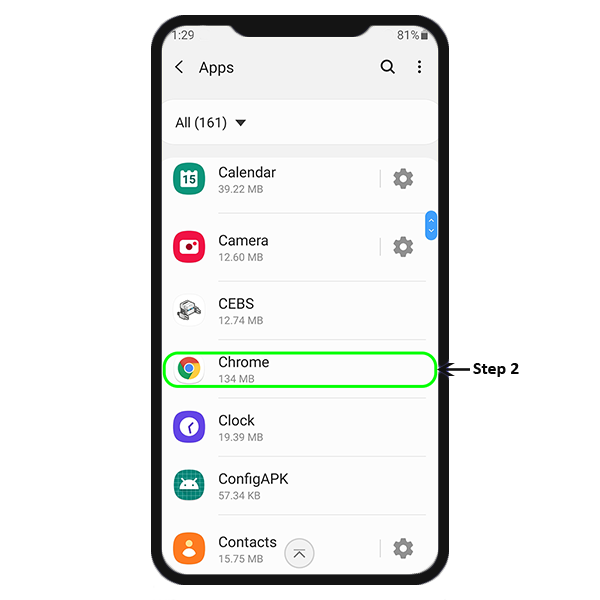
ii. Scroll to find your default browser app. Mostly it is Google Chrome for Android device, unless explicitly changed.
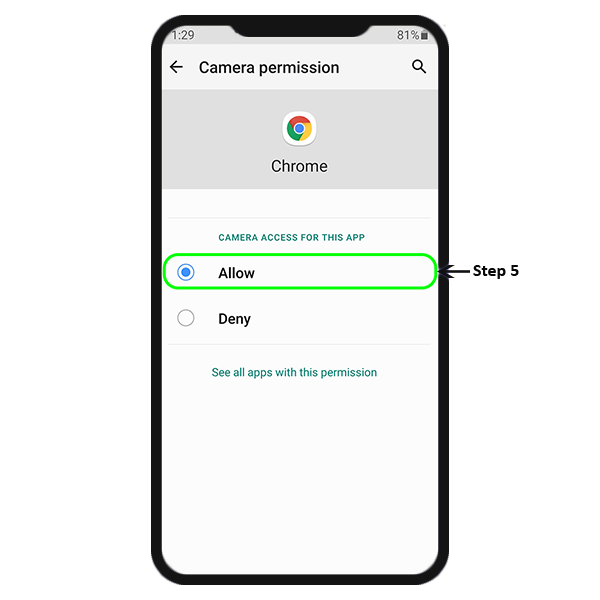
iii. Chrome → Permissions will show you what is enabled. Camera permission need to be enabled here.
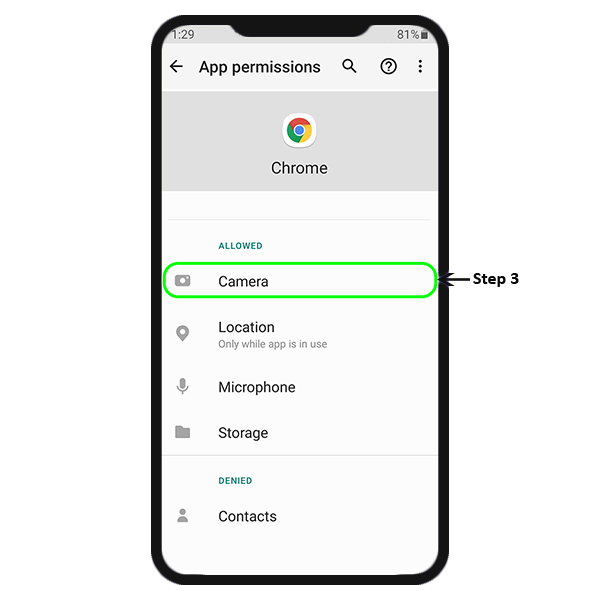
iv. App permissions will show what is allowed and what's denied.
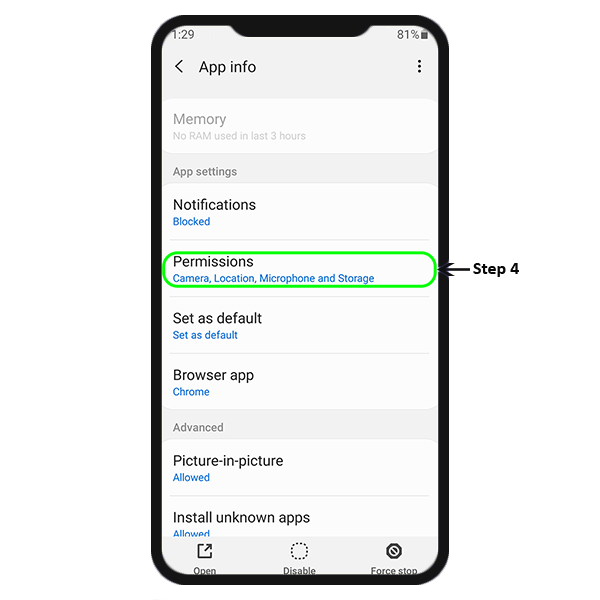
v. Tap on Camera to Allow camera permission to Chrome.
Does your screen look something like this?
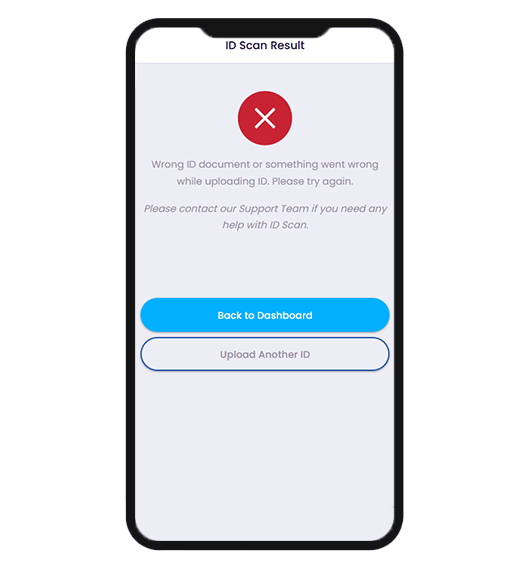
This means the ID you uploaded is not supported or was having glare or blur while uploading. This may have resulted us in not been able to capture ID details. Please give it another try or contact our support team.
The application collects facial images (selfies) and facial biometric information derived from those images solely for identity verification and fraud prevention purposes. The facial image may be compared against the user's government-issued identity document to confirm that the user is the legitimate owner of the submitted identity document.
The collected face data is used exclusively for:
Face data may be shared only with Sumsub/GBG, that process the information on behalf of the company to perform identity verification and fraud prevention services.
Face data is not sold, rented, or shared for advertising purposes.
Face data is retained only for as long as necessary to:
The handling of face data is covered under the broader provisions for personal data in the following sections of the Privacy Policy:
"Personal Data means any information relating to a natural person who is identified or is identifiable by some number or characteristic..."
"Sensitive Data is a subset of Personal Data and (subject to local requirements) may include but are not limited to race or ethnic origin, religious or philosophical beliefs, political affiliations/opinions, trade union membership, health information, sexual orientation, disabilities, certain types of personal financial data, etc."